Loading…


To build topical authority, internal linking must act as a semantic knowledge map rather than a rigid 2015-style vertical silo.
Posted by Arbortising -on November 17, 2026
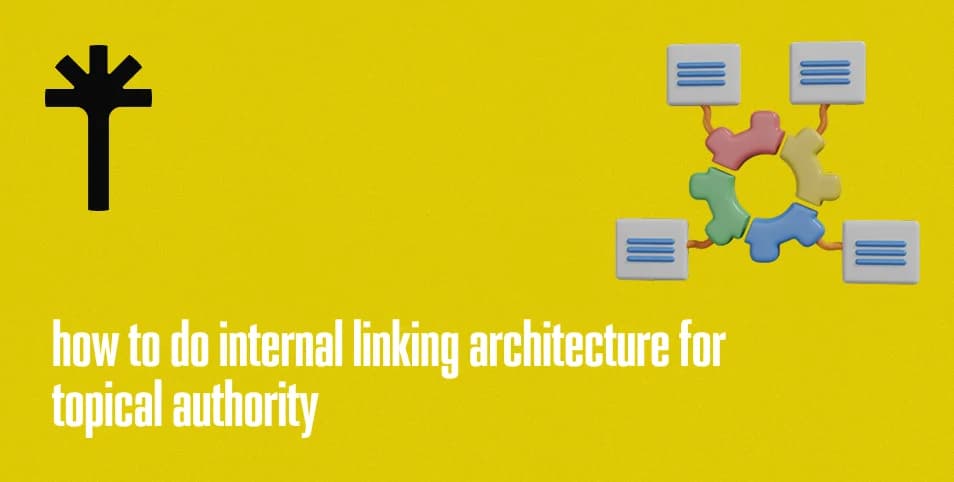
A well organized website does more than publish useful content. It connects related pages so visitors can explore information naturally and search engines can understand how different subjects relate to one another. Without a clear internal linking structure, valuable pages may become difficult to discover, supporting articles may remain disconnected, and important service pages may receive less attention than they deserve.
internal linking for topical authority involves creating meaningful connections between related pages to establish a clear website structure and demonstrate how different pieces of content contribute to broader subjects. It helps visitors find relevant information while giving search engines additional context about page relationships and importance.
For growing websites, internal linking becomes increasingly important as new articles, service pages, and resources are added. A planned architecture helps maintain these connections instead of relying on random links added during content publishing.
This guide explains how internal linking architecture works, how it supports topical authority, and how to build and audit an effective linking strategy.
Internal linking architecture is the organized system of links connecting pages within the same website. These links allow visitors to move between related content and help search engine crawlers discover different URLs.
For example, a digital marketing website may have a main SEO services page, supporting pages about technical optimization and local search, and educational articles about keyword research and content planning. Internal links can connect these pages according to their subjects and purposes.
A clear architecture gives every important page a place within the website. Instead of treating each article or service page as an independent destination, it creates a connected structure in which related content supports a broader topic.
Internal linking should be planned around relevance and usability. A link should help visitors find additional information, understand a subject, or reach a related service. Adding links without considering their purpose can make pages confusing and weaken the overall navigation experience.
Search engines use links to discover URLs and understand relationships between pages. When a crawler visits an accessible page, it can follow its links to find other destinations within the website.
Internal links are particularly useful for pages that are not directly accessible through the main navigation. A relevant link from an existing article or category page can provide another discovery path.
Internal links also provide contextual information. The words used in anchor text, the surrounding content, and the relationship between the source and destination pages help explain what the linked page is about.
For example, an article explaining website performance may link to a related resource about Core Web Vitals. The connection indicates that the destination provides more detailed information about a subject mentioned in the original article.
A useful internal linking structure should:
Connect important pages to relevant sections of the website.
Make supporting content accessible through related articles.
Avoid leaving valuable pages disconnected.
Use descriptive anchor text.
Help visitors move between related topics.
Maintain clear paths to important service and category pages.
Internal links do not guarantee that a page will be indexed or rank higher. However, they help search engines discover content and interpret how pages fit within the website.
Topical authority refers to a website's ability to demonstrate relevant knowledge and provide useful coverage of a subject. Internal linking supports this structure by connecting pages that discuss related concepts.
Consider a website covering search engine optimization. It may publish articles about keyword research, website architecture, technical optimization, content quality, and local search. If these pages are connected through relevant links, visitors can explore the subject in greater depth.
The connections also help communicate the relationship between broad topics and supporting information. A pillar page can introduce a subject, while individual articles provide detailed explanations of specific areas.
This structure should be built around genuine relevance rather than the number of links a website can create. A smaller number of useful connections can provide a clearer experience than dozens of unrelated links.
Contextual relevance means that a link makes sense within the subject being discussed. The source page and destination page should have a meaningful relationship, and the surrounding text should help readers understand why the destination is useful.
For example, a blog about website crawling can link to a guide explaining indexing problems. A discussion about page organization can link to an article about website architecture.
These connections help create semantic relationships between pages. They show how different concepts fit together and allow visitors to move from a general explanation to a more specific topic.
When adding contextual links, consider:
Whether the destination directly relates to the source content.
Whether the link provides additional useful information.
Whether the anchor text accurately describes the destination.
Whether the link fits naturally within the sentence.
Whether the destination adds something the reader may need.
A website should not link every mention of a keyword to the same destination. Links should be selected according to the context and the information they provide.
Internal links can help search engines understand which pages are important within a website. Pages receiving links from relevant, accessible sections may have stronger discovery paths than pages that are rarely connected.
The concept of link equity describes how signals associated with links can be distributed across pages. Internal links help establish connections through which these signals may flow.
For example, a website's homepage may link to its main service categories. Those categories may then link to individual service pages and supporting articles. This creates a structured path from broad sections to more specific information.
However, adding more links does not automatically make a page more valuable. The importance of a link depends on its context, relevance, accessibility, and the overall website structure.
Businesses should give appropriate internal link attention to pages that support their goals. These may include key service pages, important resources, product categories, and high value educational content.
Different websites require different internal linking structures. A small business website may need a straightforward hierarchy, while a large content website may require several interconnected topic groups.
The best structure depends on the website's size, subject areas, navigation needs, and the way visitors are expected to move between pages.
A hub-and-spoke structure organizes content around a central page, often called a pillar or hub page. Supporting pages cover specific subtopics and link back to the central resource.
For example, a website may have a main guide about SEO. Supporting articles could explain keyword research, technical optimization, internal linking, and content strategy.
Each supporting article can link to the main guide when relevant. The hub page can also direct readers toward more detailed resources.
This structure offers several benefits:
It creates a clear relationship between broad and specific subjects.
It helps visitors explore related information.
It gives supporting articles a logical place within the website.
It makes content organization easier to maintain.
It provides opportunities to connect educational resources with relevant services.
A hub-and-spoke model should not become a rigid rule. Supporting pages can also link to one another when their subjects are closely related.
Hierarchical architecture organizes pages into levels. A typical structure may begin with the homepage, followed by main categories, subcategories, and individual pages.
For example, an ecommerce website may use this structure:
Homepage
Clothing
Men's Clothing
Men's Jackets
Men's Shirts
Women's Clothing
Women's Jackets
Women's Dresses
This hierarchy helps visitors understand where they are within the website and how different categories relate.
The same approach can be used for service websites. A main services page can link to individual offerings, while supporting resources provide additional information about specific processes.
Important pages should not be buried too deeply within the structure. Visitors and crawlers should be able to reach valuable content through a reasonable number of navigation steps.
Contextual links connect articles that discuss related subjects, even when they belong to different sections of a website.
For example, an article about search intent may link to a resource about keyword research. A guide about technical website performance may connect to an article explaining crawling and indexing.
These links should support the reader's journey. If someone is learning about a subject and a related article provides useful additional information, a contextual link gives them a natural next step.
Content teams should review related articles regularly and identify opportunities to connect them. New articles should also be added to the existing linking structure rather than published without connections to relevant resources.
A successful internal linking strategy starts with understanding the website's existing structure. Before adding new links, identify the pages that matter, the subjects they cover, and the connections that are currently missing.
The strategy should consider both the visitor experience and the website's business objectives. Important service pages may need links from relevant educational articles, while supporting content should remain connected to broader subject areas.
Pillar pages cover broad subjects and provide an overview of the main information within a topic. Supporting content explores individual aspects in greater detail.
Start by reviewing the website's existing pages and grouping them according to their subjects. Identify which pages provide broad coverage and which pages address specific questions.
For example, a website offering digital marketing services may organize its content around:
SEO services and supporting SEO articles.
Web design services and website development resources.
Social media marketing and platform specific guides.
Paid advertising services and campaign resources.
Content marketing and educational articles.
The pillar page should connect to relevant supporting content. Supporting articles should link back to the pillar when it helps readers understand the wider subject.
A broader SEO strategy for business growth can help determine which pages deserve priority. Businesses should focus on connecting content that supports their actual services, audience needs, and marketing objectives.
Anchor text is the clickable text used in a hyperlink. It gives readers an indication of what they can expect after selecting a link.
Descriptive anchor text is more useful than vague phrases such as click here or read more when the destination can be explained naturally.
For example, an article about website performance could use anchor text such as Core Web Vitals guide when linking to a resource that explains those measurements.
Good anchor text should:
Describe the destination accurately.
Fit naturally within the surrounding sentence.
Help readers understand the link's purpose.
Avoid unnecessary keyword repetition.
Remain concise and clear.
Exact match anchor text can be appropriate when it reads naturally, but using the same phrase repeatedly across every link is unnecessary. Vary the wording according to the context and destination.
Educational articles can introduce readers to a topic before they consider purchasing a service. When a supporting article discusses a problem that a business can solve, it may provide a relevant opportunity to link to the corresponding service page.
For example, a blog explaining website performance issues may link to a web development service page if the connection is useful. An article about local search visibility may link to the business's local SEO offering.
These links should not interrupt the educational purpose of the article. The service page should be introduced where it provides a logical next step.
When planning these connections, consider the visitor's likely needs. Someone reading an introductory article may need more educational resources, while someone researching a specific solution may be ready to explore a service.
Parent-to-child links connect a broad category or pillar page to more specific supporting pages.
For example, a main SEO resource may link to separate guides about technical optimization, content strategy, and keyword research.
These links help visitors move from general information to detailed explanations. They also establish the relationship between the main topic and its supporting subjects.
Use clear anchor text and make sure each destination contributes useful information to the parent topic.
Child-to-parent links connect supporting articles back to their main category or pillar page. They help visitors return to the broader subject after exploring a specific topic.
Sibling links connect related pages at the same level. For example, an article about keyword research may link to another article about search intent when the two subjects naturally support one another.
These connections help visitors explore related information without having to return to the homepage or search through the navigation.
Not every supporting article needs to link to every other article. Select sibling connections according to subject relevance and reader value.
An internal link audit examines how pages are connected and identifies problems that may affect navigation, crawling, and content discovery.
As websites grow, links can become outdated, pages may be removed, and new content may remain disconnected from existing sections. Regular reviews help maintain a useful structure.
An orphan page has no internal links pointing to it from other accessible pages. Although it may be included in an XML sitemap or discovered through an external link, it is not connected through the website's normal internal structure.
To find orphan pages, compare the website's URL inventory with data from a website crawler. Review sitemap URLs, analytics landing pages, and known content URLs to identify pages that are not receiving internal links.
Not every orphan page needs to be restored. Some may be outdated or unnecessary. However, valuable pages should be connected to relevant sections of the website.
Crawl depth should also be reviewed. Important pages that require too many clicks to reach may be difficult for visitors to discover.
During the audit:
Identify important pages without internal links.
Review pages located several levels below the homepage.
Check whether category pages connect to their supporting content.
Add relevant links to valuable pages.
Remove or redirect unnecessary outdated pages when appropriate.
A structured technical SEO audit checklist can help teams include internal linking, crawl depth, indexing, and other technical checks within the same review process.
Broken internal links lead visitors to pages that no longer exist or cannot be accessed. They can also interrupt the paths crawlers use to discover website content.
Redirected internal links point to URLs that send visitors to another destination. While redirects are useful when pages move, internal links should generally point directly to the final preferred URL.
Use a website crawling tool to identify:
Internal links returning 404 errors.
Links pointing to redirected URLs.
Redirect chains and loops.
Links to pages returning server errors.
Incorrect or outdated URL destinations.
Update broken links when a suitable replacement exists. Remove links that no longer provide value, and use direct destinations instead of unnecessary redirects.
After corrections, run another crawl to confirm that the problems have been resolved.
Internal linking can become ineffective when links are added without considering their purpose, relevance, or destination. A large number of links does not automatically create a strong website structure.
Common mistakes include:
Adding unrelated links: Linking pages simply because they share a broad keyword can confuse visitors and weaken contextual relevance.
Using vague anchor text: Generic phrases may not explain what the destination contains.
Overusing exact match anchors: Repeating identical keyword rich anchors unnecessarily can make content feel unnatural.
Ignoring important service pages: Valuable service pages may remain disconnected from relevant educational resources.
Leaving orphan pages: Useful content can become difficult to discover when no internal links point to it.
Creating excessive navigation depth: Important pages may be buried too far within the website structure.
Linking to broken URLs: Outdated destinations create a poor experience and waste useful navigation paths.
Adding too many links to one page: Excessive links can make content difficult to read and reduce their usefulness.
Ignoring content relationships: Pages may be linked based on keyword similarity rather than their actual subject connection.
Failing to review links regularly: Website updates can create broken links and outdated destinations over time.
Internal linking should also reflect changes in the website's content and services. As new pages are published, review existing articles to identify relevant connections. If a service page changes its URL, update links that point to the previous destination.
Businesses serving different audiences may need additional attention when organizing their pages. For example, local SEO ranking factors can be relevant when connecting location specific articles with suitable local service pages. Websites selling products should also consider ecommerce category page SEO when organizing links between categories, subcategories, and product pages.
Content structure may differ across business models as well. Understanding B2B SEO vs SaaS SEO can help teams organize resources around different customer journeys and service requirements.
Internal linking can also support emerging content areas. An answer engine optimization consultant may organize educational resources around answer focused content, search visibility, and related optimization topics. The same principles apply: pages should be connected according to their subjects and the information readers need.
Finally, measure whether the linking structure supports meaningful website activity. organic search conversion tracking can help businesses understand whether visitors arriving through search engines complete actions such as submitting forms, requesting consultations, or purchasing products.
A strong internal linking architecture is not built by adding links randomly. It requires a clear understanding of the website's subjects, page relationships, and visitor needs. By connecting pillar pages, supporting articles, and relevant service pages, businesses can create a website that is easier to navigate, more organized, and better positioned to communicate its content structure to search engines.
 Why Local SEO Is Becoming More Important Than EverSearch behaviour has changed significantly in recent years, and local intent now plays a central role in how people discover businesses online. In 2025, users are no longer searching broadly.
 How Search Engines Crawl, Render and Index WebsitesLearn how search engines crawl, render, and index websites. Explore how Googlebot discovers pages, processes content, and makes it available in search results.
 Programmatic SEO Scaling Content the Smart WayAs digital competition continues to grow, creating high quality content at scale has become a major challenge for businesses. Traditional content strategies often rely on manual processes, which can limit growth and slow down results.
 We’re just a phone call awayCall us